Field Service
Power the future of field service with the #1 AI CRM. Enhance customer engagement with real-time personalization, optimize mobile workers with our best-in-class scheduling engine and access to offline data, and improve field visits with the help of trusted AI built on the Einstein 1 Platform.


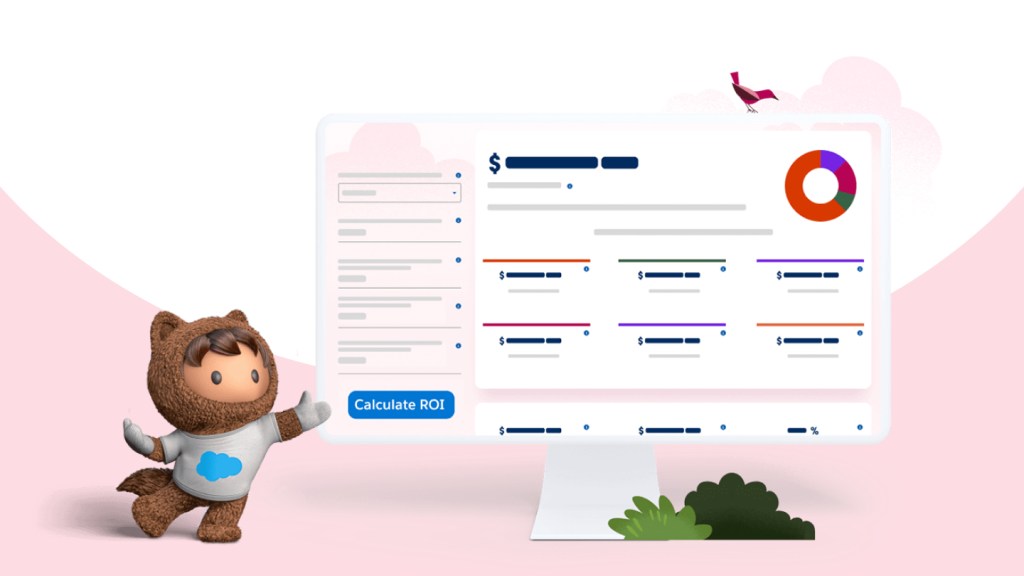
See how Pella uses Field Service to achieve a 589% ROI.
Pella automates time-consuming processes, giving its mobile workers more time to focus on personalized human interactions.
Here's what sets Field Service apart.

31
%
increase in first-time-fix rate

32
%
increase in mobile worker productivity

26
%
decrease in truck rolls, helping reduce carbon emissions

27
%
decrease in new employee ramp-up time
Source: Salesforce Field Service Success Metrics Study, 2022
Drive efficiency with trusted AI.
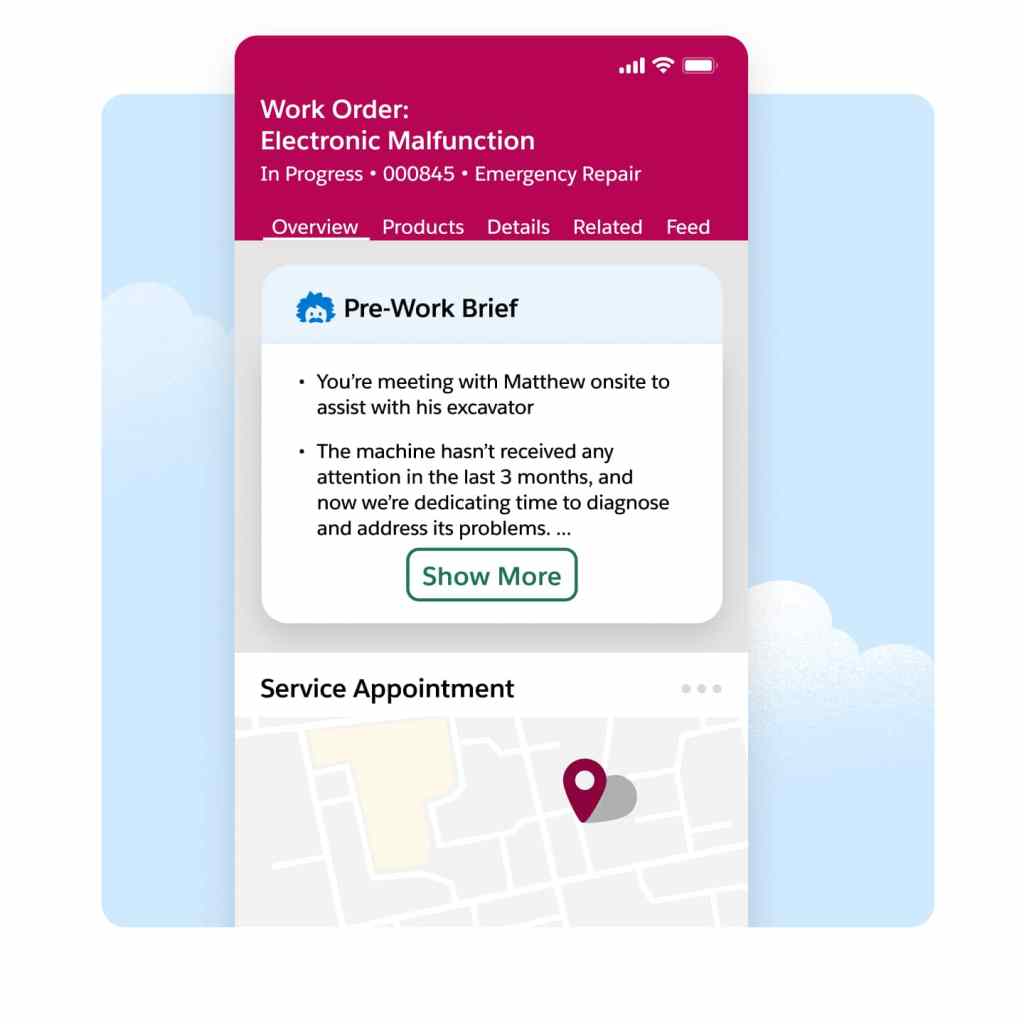
Accelerate service delivery, enhance customer satisfaction, and boost overall efficiency by giving your mobile workers vital customer data, asset history, and service records prior to each job. With summarized insights that include equipment maintenance and past customer interactions, prework briefs help mobile workers prioritize onsite tasks and grasp the broader context for meeting contract terms.
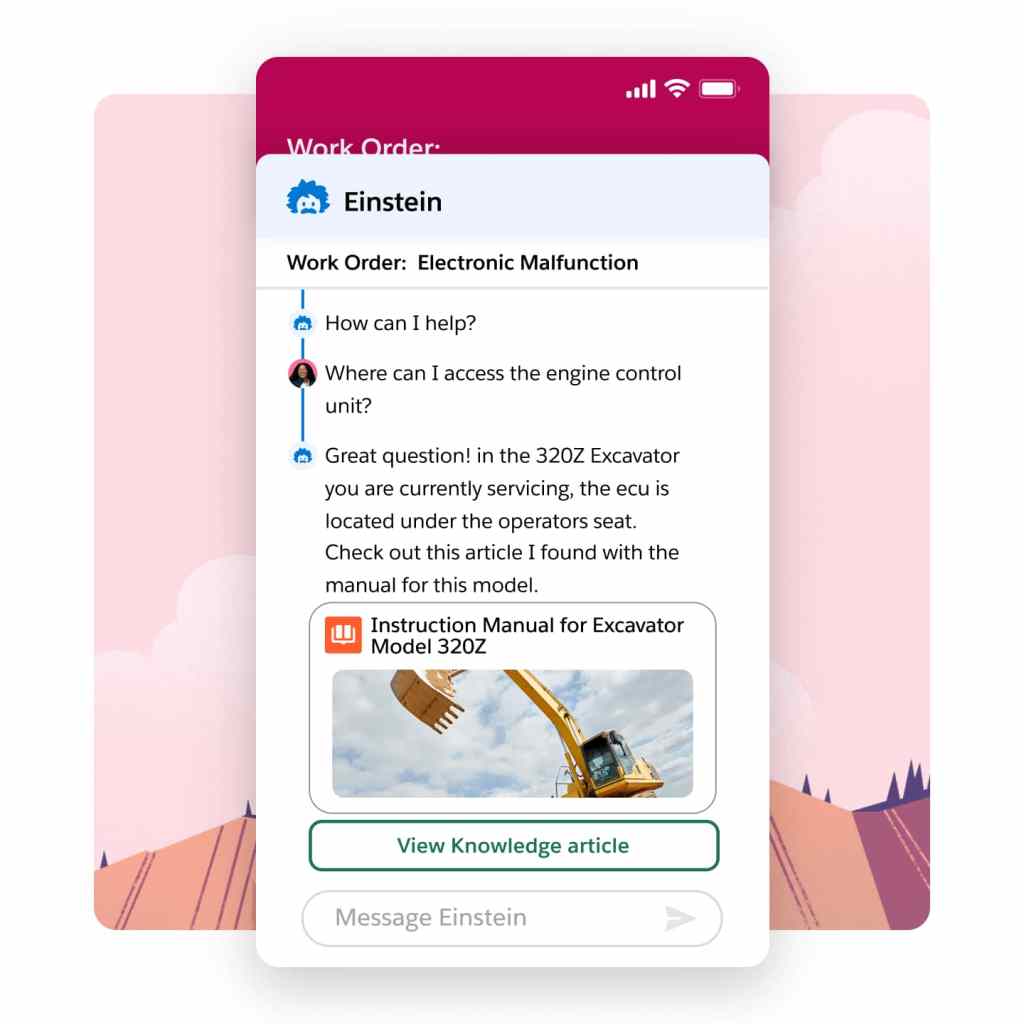
Field challenges can be daunting when you're on your own. That's why our Field Service mobile app gives contractors and employees with the power to search both internal and external knowledge bases instantly. Powered by AI summarization, users get the precise information necessary to improve first-time fix rates — boosting confidence and credibility in real-time.
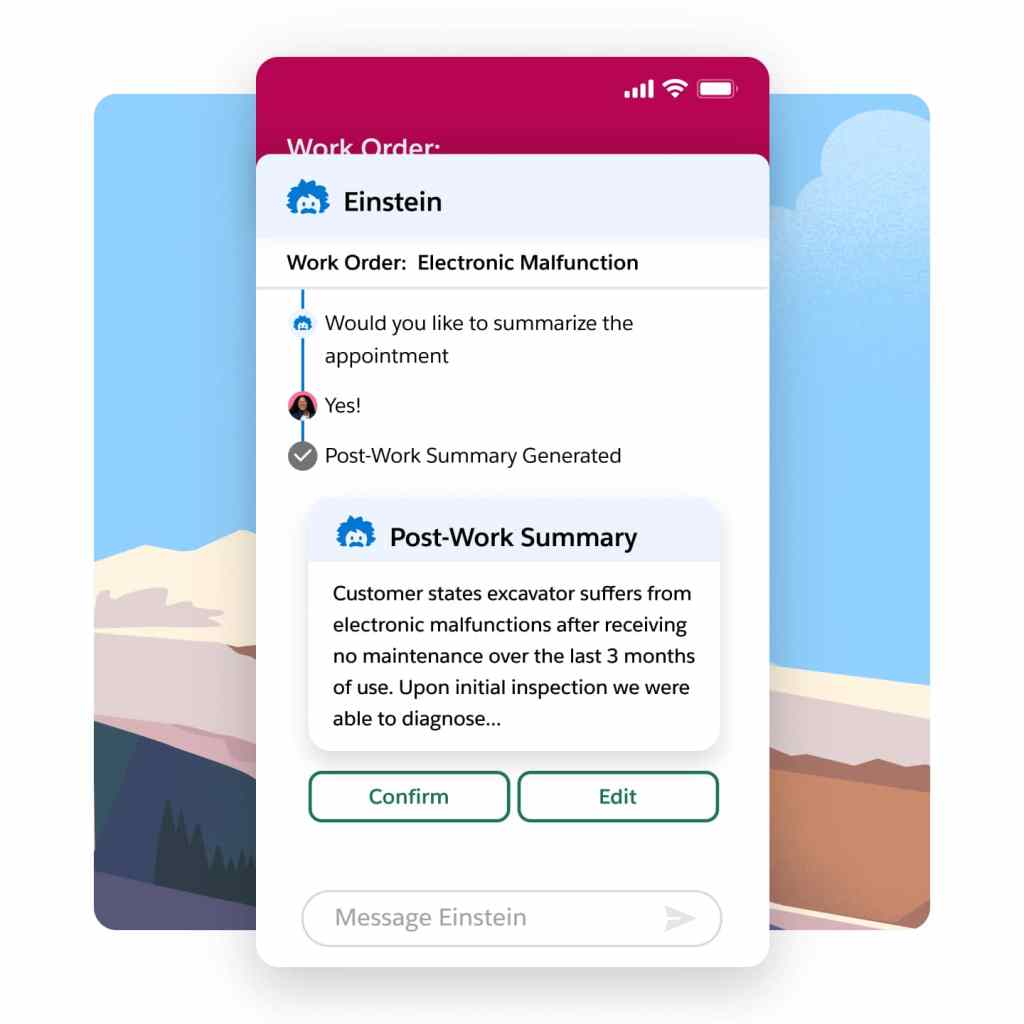
Say goodbye to time-consuming and error-prone service reports at the end of each job. Our intelligent summary generation feature ensures accurate and comprehensive reports while also reducing visit duration. Boost customer satisfaction significantly with Service Reports enriched with real-time customer and asset data, updates from mobile workers, and job images.
Boost mobile worker productivity.
Our field service mobile app — available on Android and iOS — is the ultimate all-in-one tool tailored for the demands of today's mobile workforce. Designed as an offline-first application, it enables your front line to work and seamlessly save changes even without Wi-Fi. Plus, the app offers extensive customization options, so it aligns perfectly with your unique business requirements.
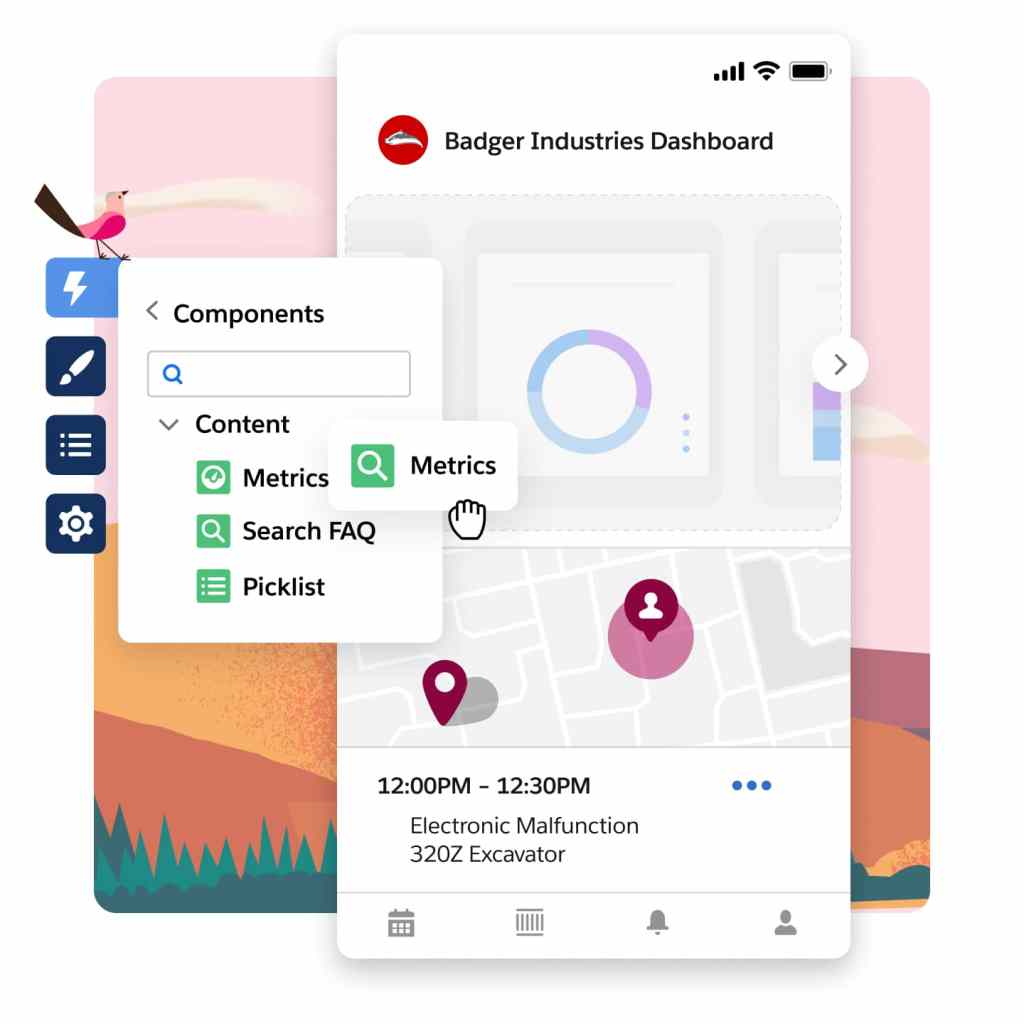
Empower your mobile app users with offline-capable experiences through Lightning Web Components (LWCs). Use standard components to build a tailored interface that aligns perfectly with your company's requirements. Unleash your creativity by designing custom components that boost productivity and bring your innovative ideas to life for your workforce.
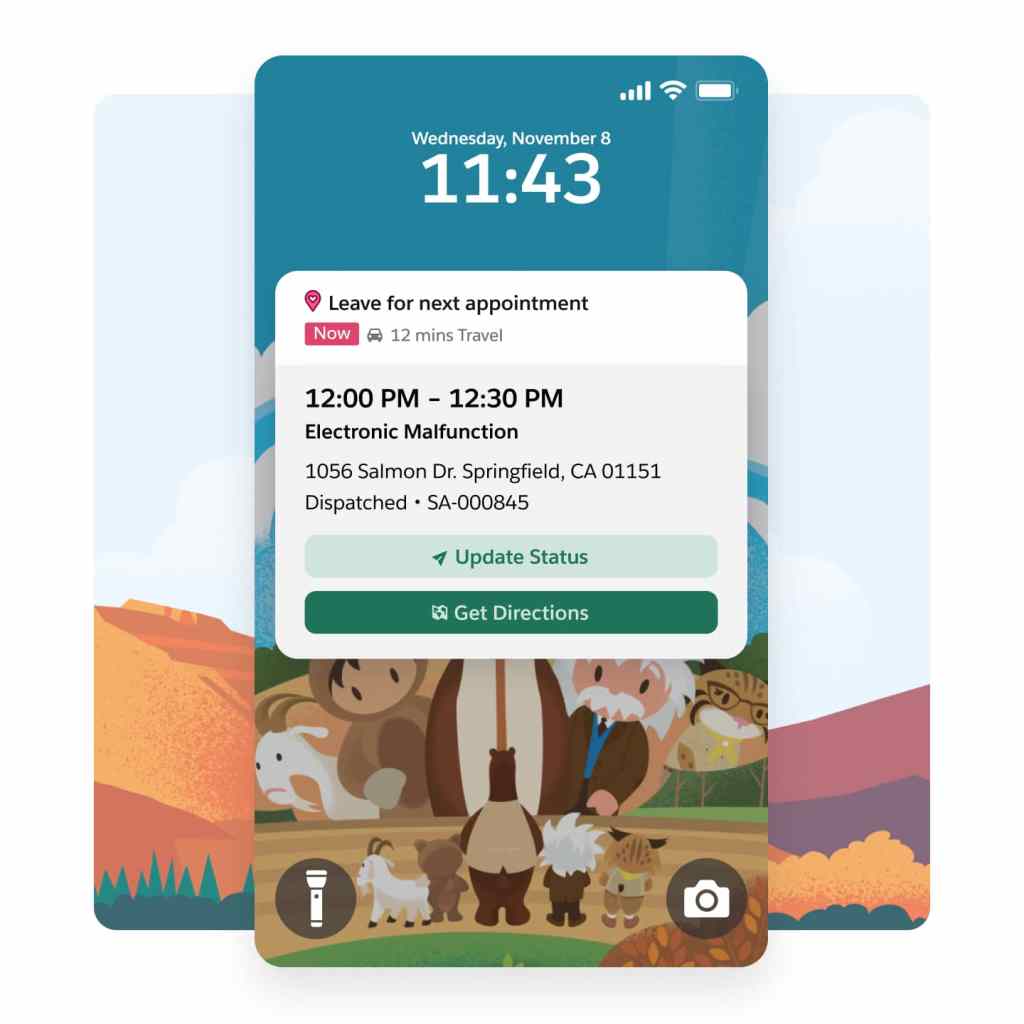
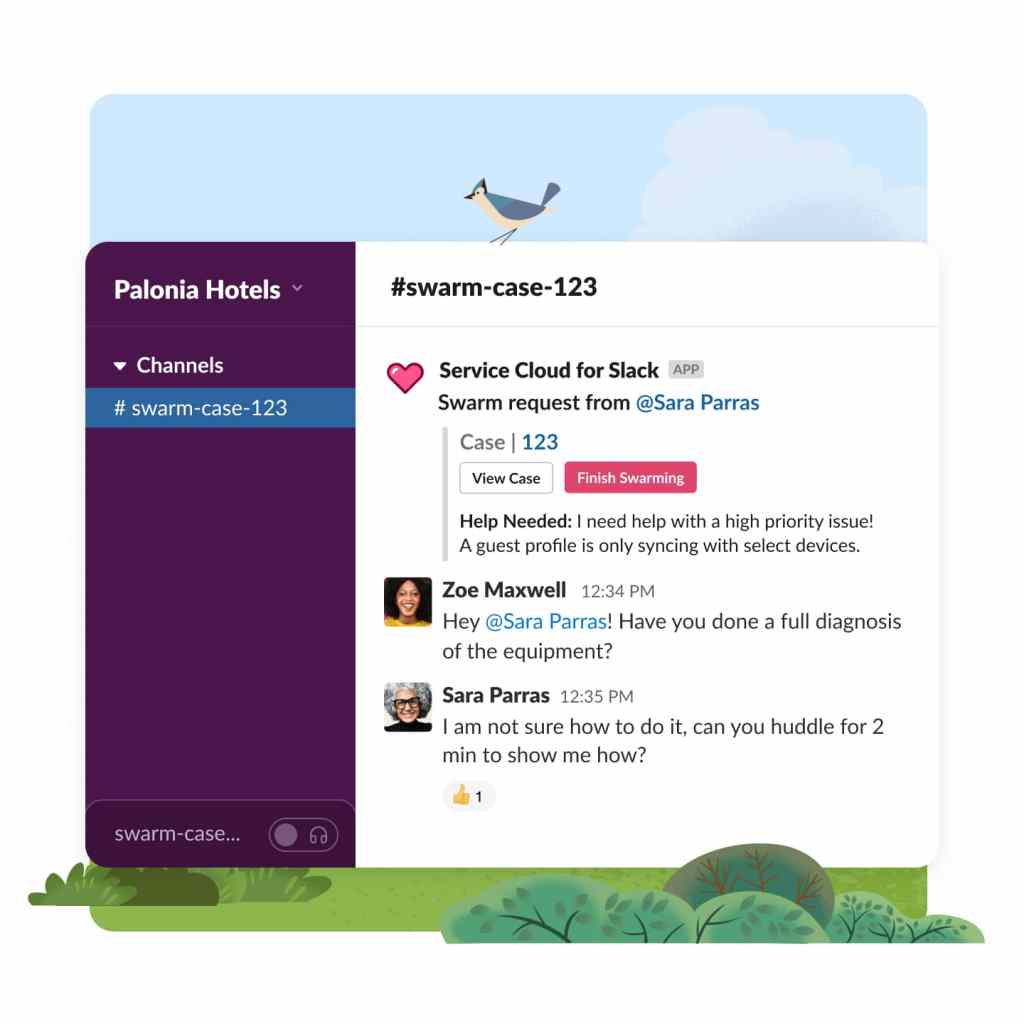
Empower your mobile workforce with seamless connectivity and timely assistance whenever they need it. Swiftly mobilize for service appointments and tap into the expertise of colleagues throughout your organization. Our user-friendly interface ensures intuitive and accessible collaboration — keeping your team connected and responsive.
Optimize scheduling and dispatch.
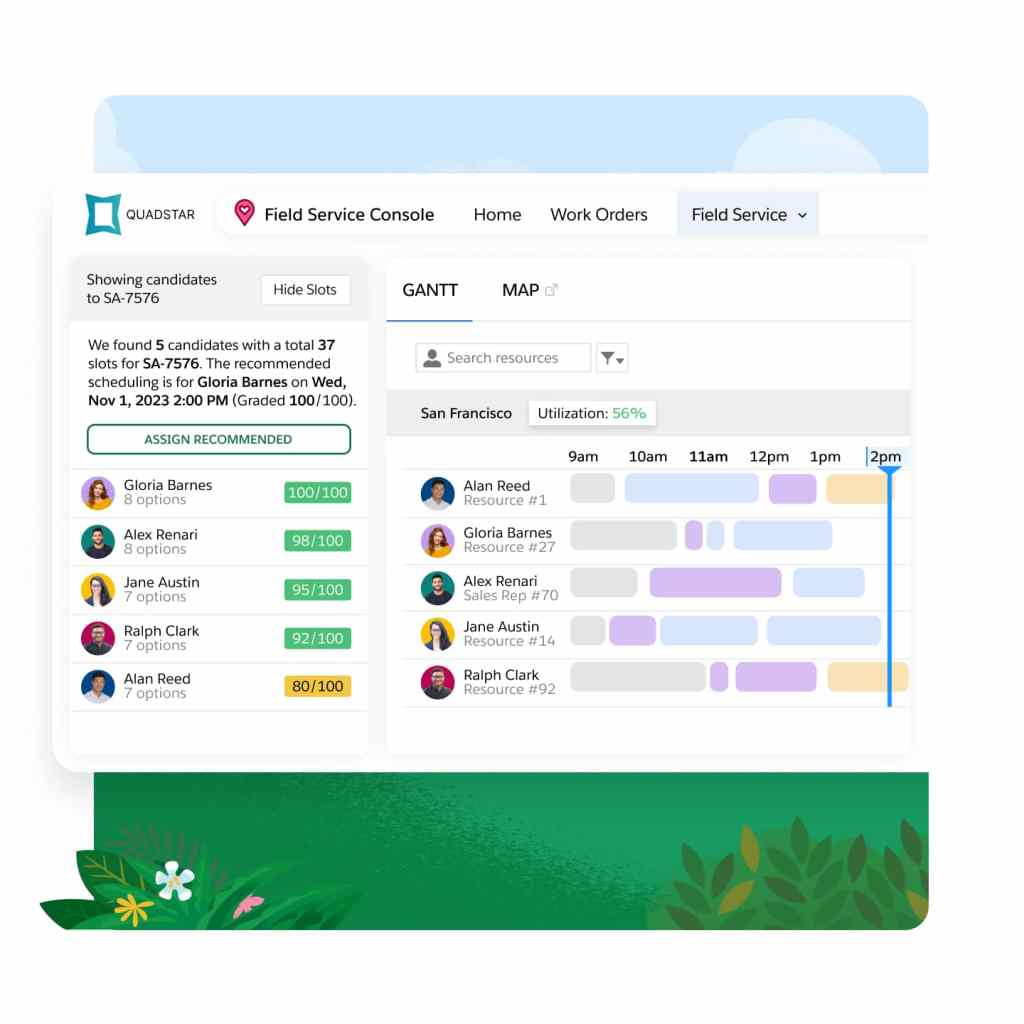
Boost your dispatchers' productivity with our Dispatch Console. Easily create and update resource absences directly in the console. Efficiently organize candidates by availability and skill to identify the ideal candidates for each appointment. Experience an enhanced user interface that maximizes the potential of your Gantt chart for improved scheduling efficiency.
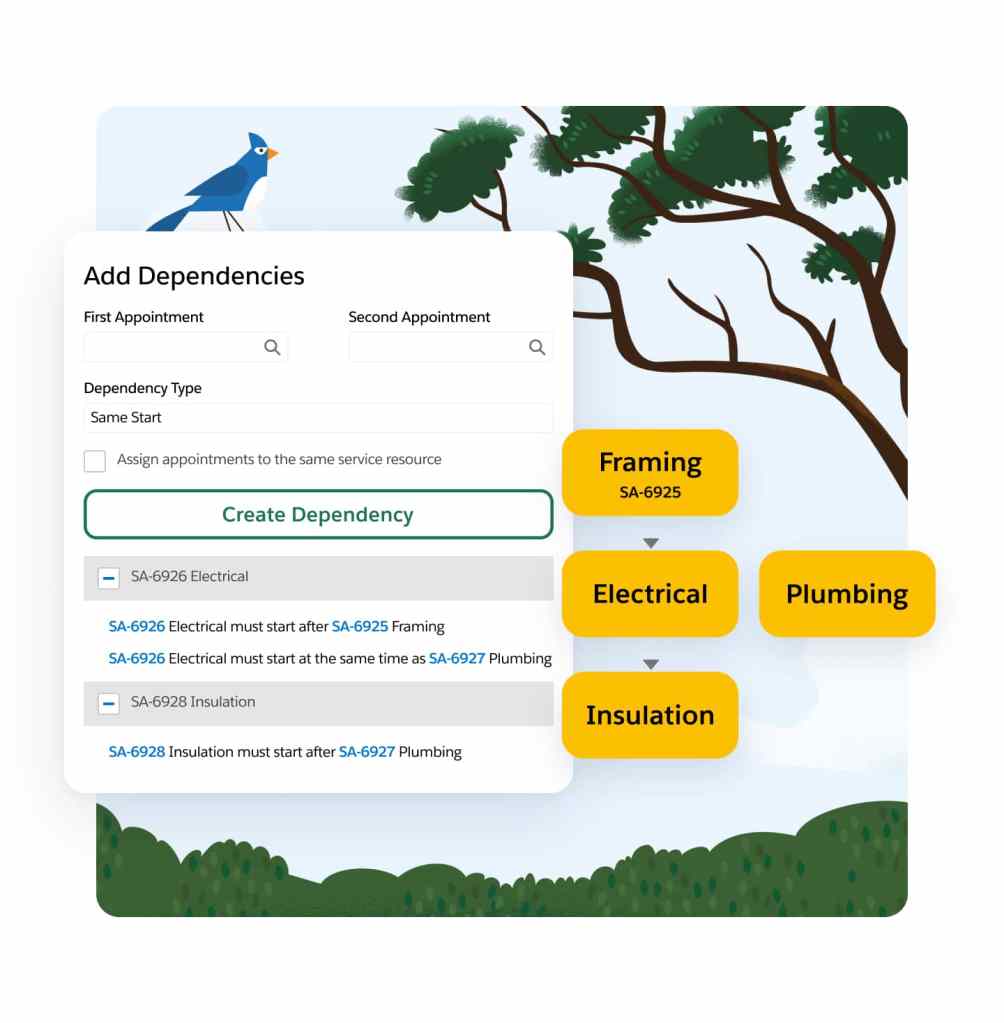
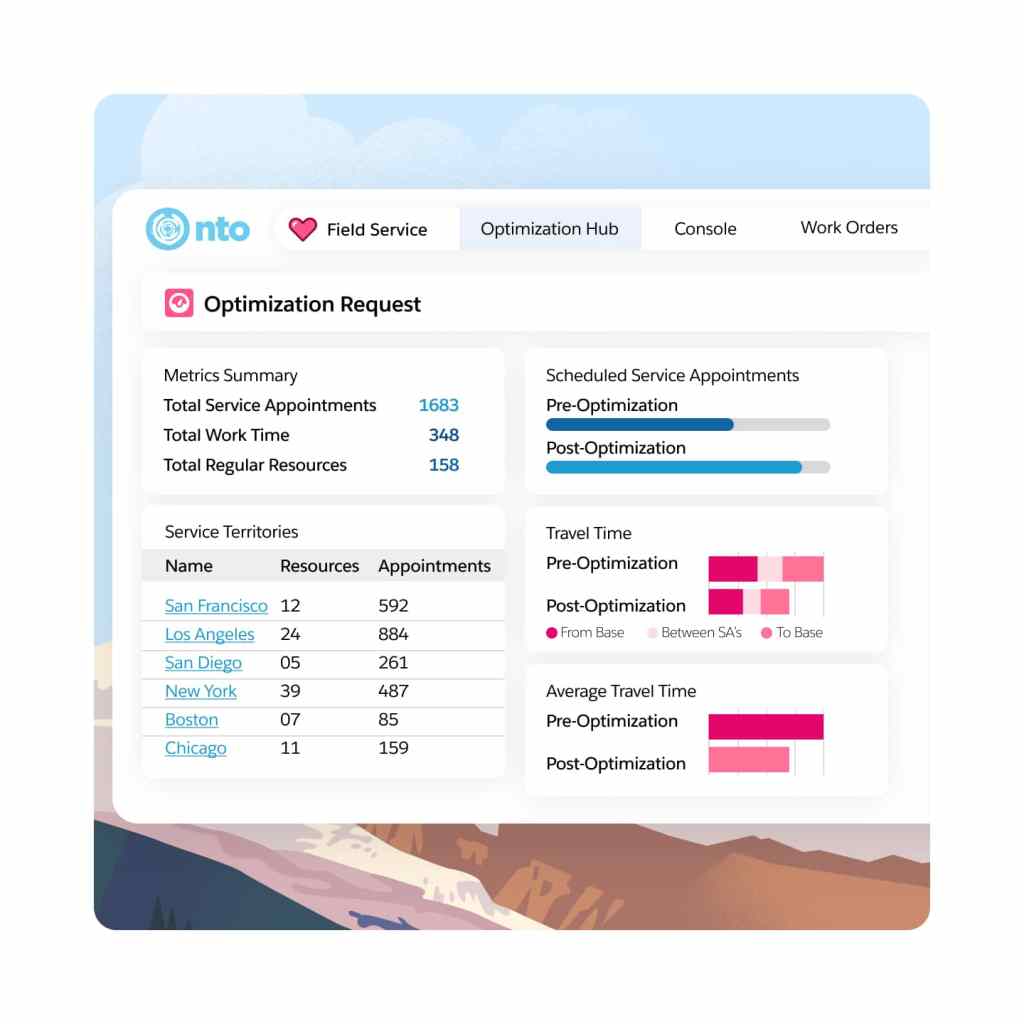
Elevate your field service operations with our best-in-class scheduling and optimization engine. Built on the Hyperforce platform, Enhanced Scheduling and Optimization automates scheduling while aligning with priorities and constraints. It ensures efficient resource allocation, minimizes travel time, and complies with service-level agreements.
Use real-time data to quickly assess the impact of global or in-day optimization on travel time and resource utilization. When refining your scheduling policy, get an instant view of optimization results and KPI changes.
Intelligently manage work and assets.
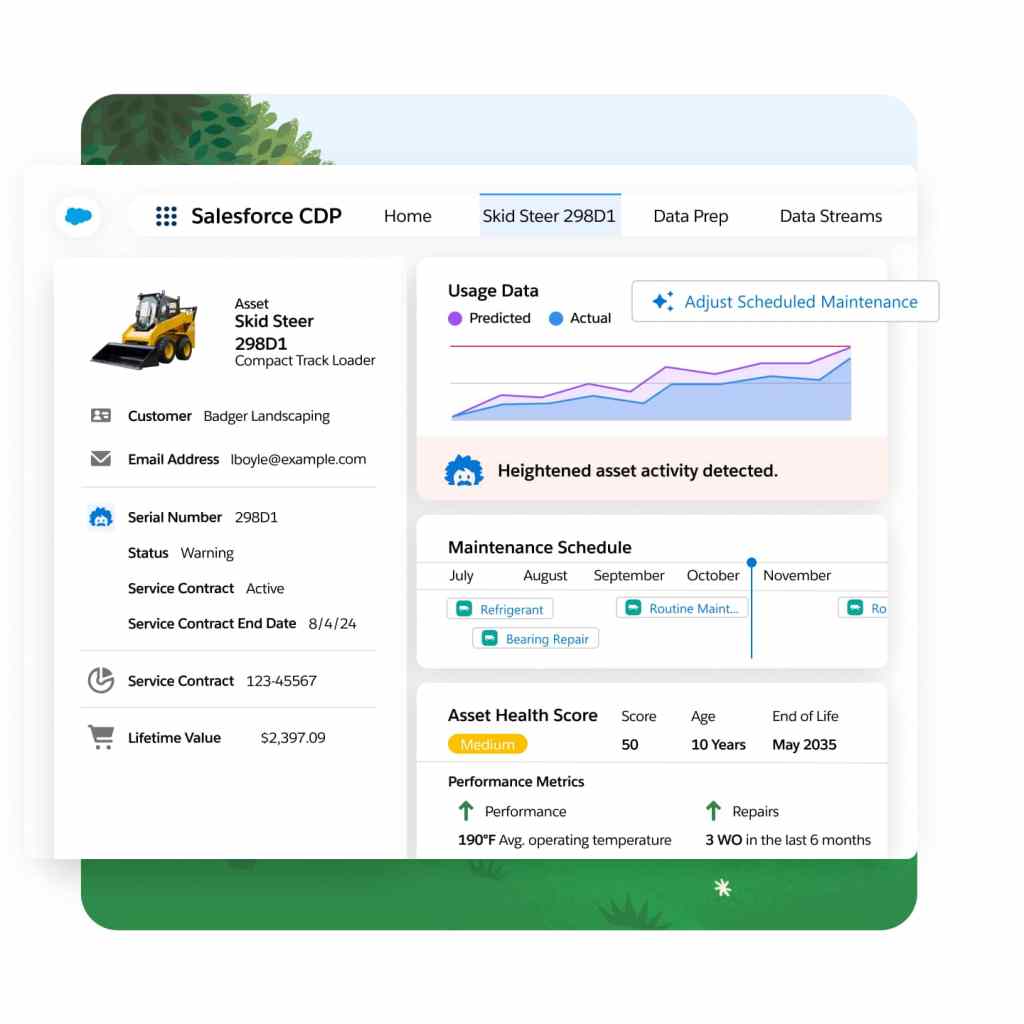
Shift from reactive to proactive service with real-time asset tracking. Monitor service outcomes and create preventive maintenance plans based on asset use, condition, and specific criteria. For example, you can schedule service if an asset's temperature exceeds a set threshold — ensuring smooth operations and preventing downtime
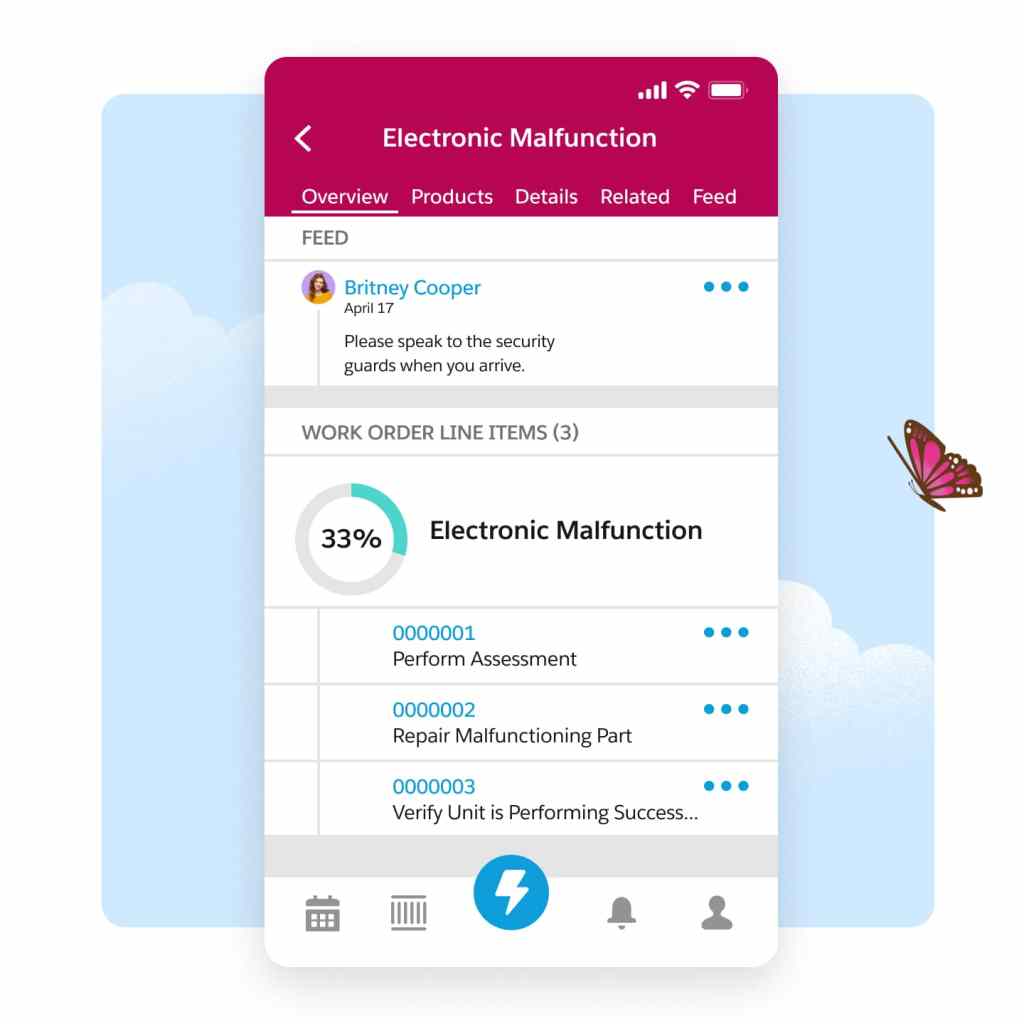
Simplify the entire work order management process to seamlessly create, assign, execute, and debrief work orders. Empower your team to stay agile, improve customer satisfaction, and drive growth by eliminating manual paperwork and digitizing the entire work order lifecycle.
Provide seamless customer experiences.
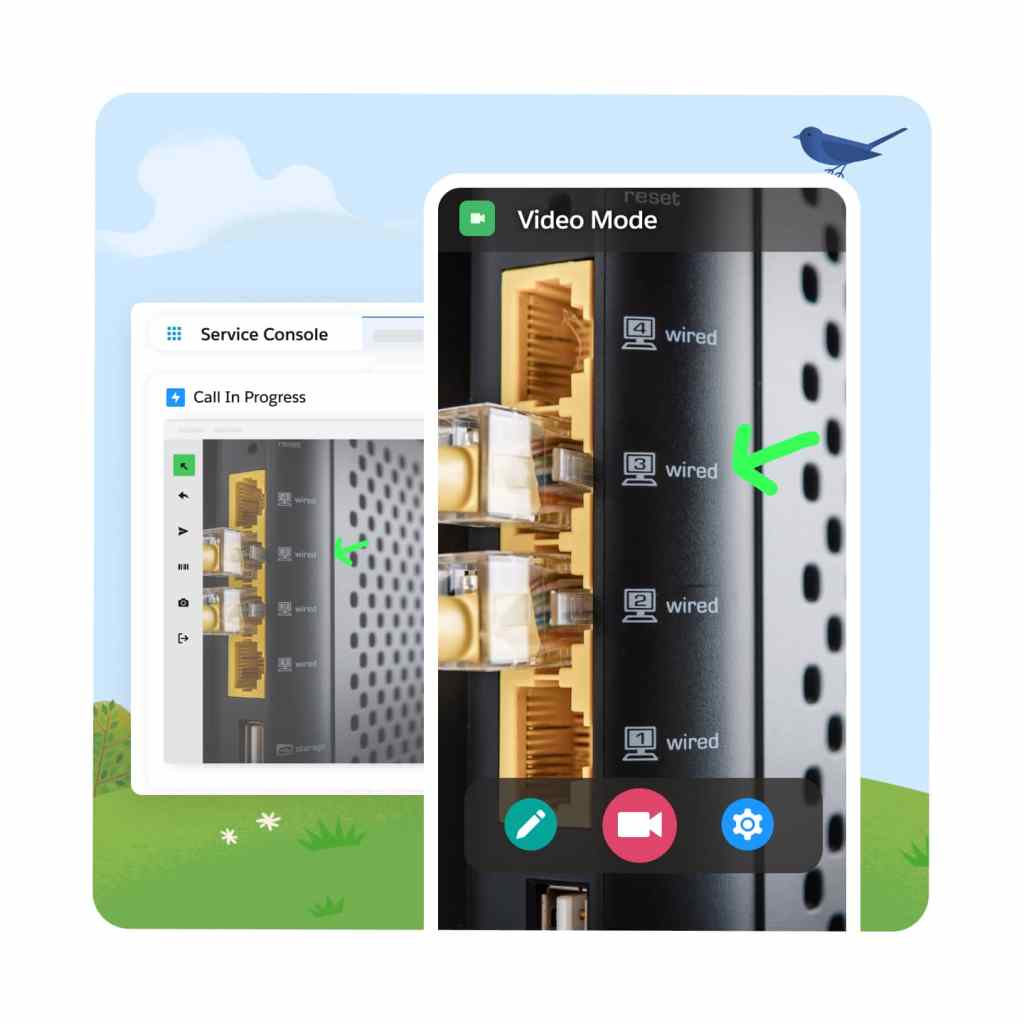
Improve first-time fix-rates while lowering costs by enabling real-time video from anywhere. In an era where customers prioritize immediate solutions without on-site visits, Visual Remote Assistant connects them to experts on demand who can guide them through each step of the resolution on-screen — ensuring customer satsifaction while reducing truck rolls.
Enhance customer satisfaction with our self-service solution. Empower customers to effortlessly schedule appointments, receive real-time updates, and stay informed about their onsite visits — creating an experience that's more convenient and extremely efficient.
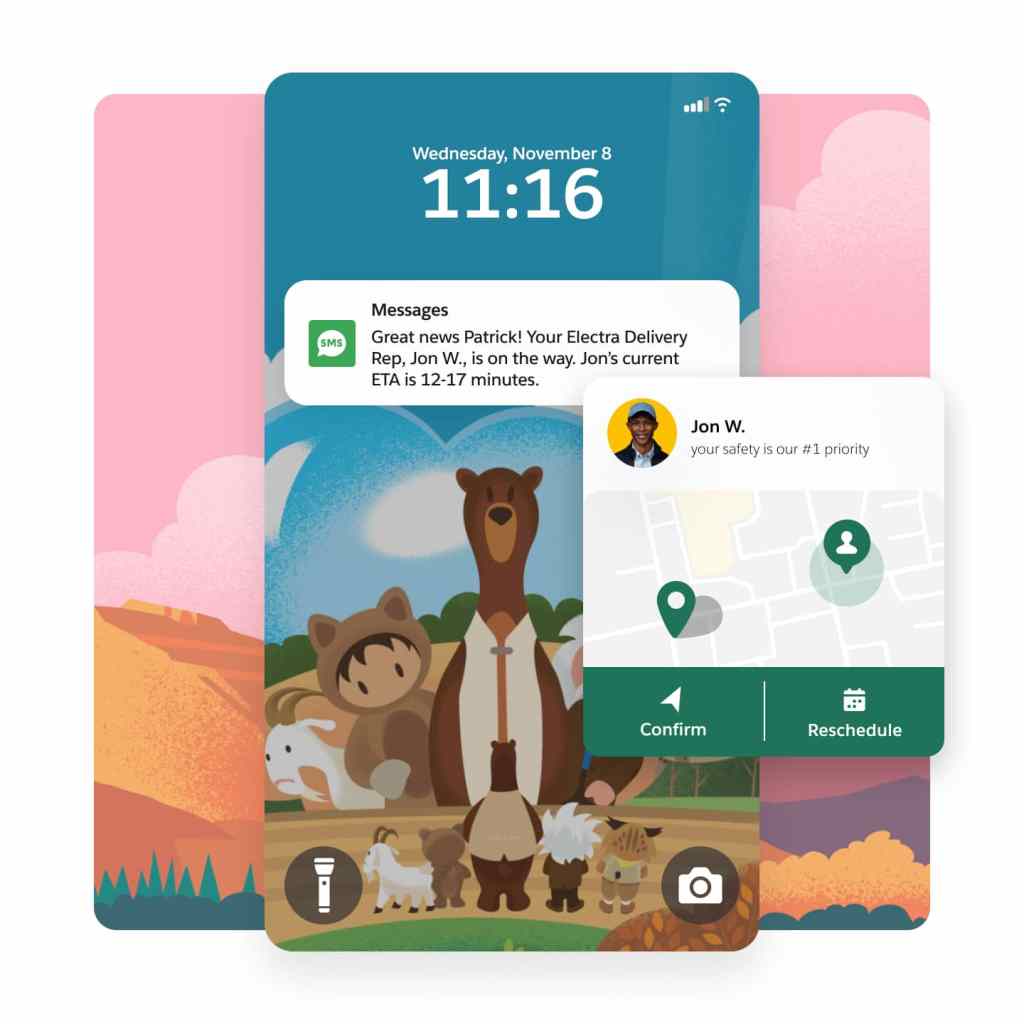
Complete your field service solution with products from across Customer 360.
Appointment Assistant
Empower customers with self-service to manage appointments and stay connected with technicians.
Visual Remote Assistant
Improve first-time fix rates with real-time remote service and access to expert assistance.
Service Cloud
Drive productivity, reduce costs, and increase customer satisfaction at scale with Service Cloud.
Knowledge Management
Empower agents and customers to find the best answers to questions and solve cases faster.
Customer Service Incident Management
Resolve disruptions faster and deliver great customer experiences with proven workflows.

Field Service Pricing
Find the right field service option for your business needs.
Dispatcher
Intelligent Dispatch Console built directly in CRM.
$
165
User/Month*
USD (billed annually)
- Scheduling and Optimization
- Resource and Work Management
- Workflow Automation
Technician
Mobile toolkit to empower frontline teams.
$
165
User/Month*
USD (billed annually)
- Mobile App and Productivity Tools
- Workflow Automation
- Offline capable
Contractor
Empower 3rd party Field Service professionals.
$50 user/month or $20/login
USD (billed annually)
- Mobile App for work orders, cases, contracts
- Mobile Productivity Tools
Contractor Plus
Empower contractors to serve and generate revenue.
$75 user/month or $30/login
USD (billed annually)
- Complete selling and service solution
- Mobile Productivity Tools
- Dispatcher Console
Field Service Plus
Combine the power of Dispatcher, Technician, Service Cloud and Sales Cloud.
$
220
User/Month*
USD (billed annually)
- Complete selling and service solution
- Everything in Dispatcher
- Everything in Technician
Discover the best of Salesforce for Field Service.
Einstein 1 Field Service Edition brings AI, data, and trust to Field Service and enables your organization to get the most value from your field service products.
Einstein 1 Field Service
Combine the power of Field Service Plus with trusted AI & data.
$
600
user / month
USD (billed annually)
- Appointment Assistant and Visual Remote Assistant
- Digital Channels, Feedback Management, and Slack
- Generative AI, Analytics, and Data Cloud
This page is provided for information purposes only and subject to change. Contact a sales representative for detailed pricing information.

Our ability to deliver proactive service rather than 'firefighting' ensures customers and employees stay with Pella. AI-first field service makes our work faster, safer, and helps get installs right the first time.
Nick MrazStrategic National Installation Manager, Pella

Get the most out of field service with thousands of partner apps and experts.







Maximize ROI with the #1 success ecosystem.
From support, expert guidance, and resources to our partners on AppExchange, the success ecosystem is here to help you unlock the full power of your investment.

Join the #Serviceblazer movement.
Together, we're building the premier community for service and field service professionals.
Learn new skills with free, guided learning on Trailhead.

Hit the ground running with Field Service tips, tricks, and best practices.



Ready to take the next step with the Service Solution built on the world's #1 CRM?

Talk to an expert.
Tell us a bit more so the right person can reach out faster.

Stay up to date.
Get the latest research, industry insights, and product news delivered straight to your inbox.

Field service management FAQ
Field service gets the right workers to the right place at the right time with the correct set of tools and data to perform a series of steps and tasks onsite.
Field service management drives efficient operations and improves the productivity of front-line teams delivering service onsite at homes and businesses. With CRM, data, and AI, organizations can streamline processes, improve communications, and create customer loyalty.
Field service has solutions designed to support any and all field service roles: dispatchers, technicians, and contractors. Pricing provides organizations return on investment with productivity gains for workers and improved operational efficiency.